Some humming, clicking, and water sounds are normal. New grinding, scraping, persistent loud vibration, or noise with poor cooling needs closer attention.
First note when the sound occurs: all the time, after a door closes, during ice production, or when cooling starts. A recording can help a technician distinguish normal cycling from a mechanical fault. Avoid pulling the appliance out immediately, especially if a water line is attached.
What to check first
Check loose items first
Separate bottles and containers that touch each other. Remove objects stored on top if the manual permits that area to be used, and check that shelves are properly seated. A vibrating container can sound much louder than the appliance itself.
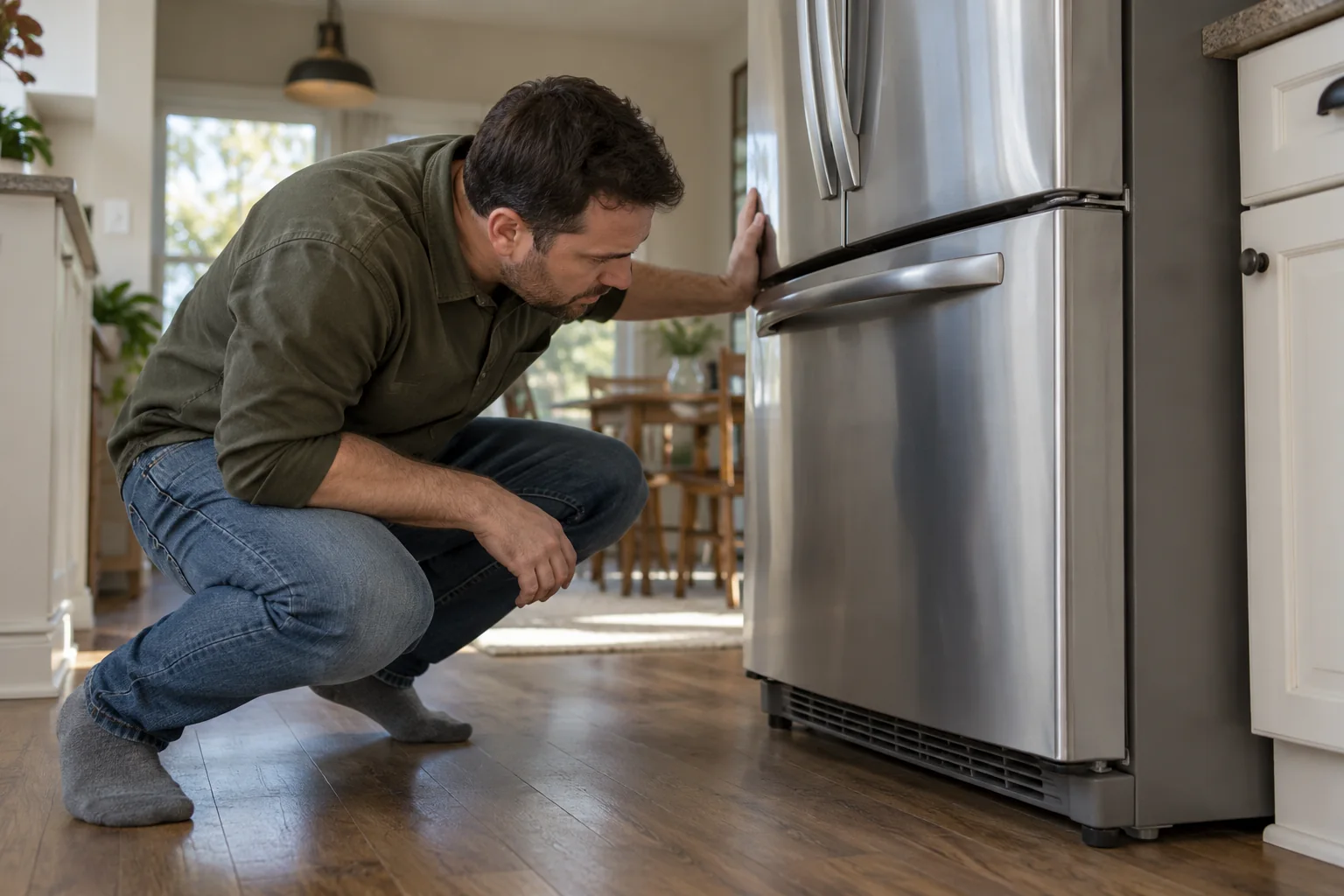
See whether a nearby cabinet or wall is touching the refrigerator. Maintain the clearances specified by the manufacturer rather than guessing a universal gap.
First decide whether the noise is in the room
A refrigerator can amplify the sound of an object touching it. Before assuming a motor fault, listen while gently moving jars, trays, and items stored on top. Check that nothing is vibrating against the back or side, and that a loose panel or shelf is fully seated according to the manual. Do not pull a heavy appliance abruptly; a water line or cord may be attached behind it. A brief rattle when the compressor starts may be different from a constant grinding sound. Note when the noise occurs and how long it lasts.
Open each door and listen for a change. Some fan sounds stop when a door switch is activated, while other sounds continue. This observation can help a technician narrow the source, but do not defeat or hold down a switch to access a moving fan. If the sound comes only when an ice maker fills or dispenses, check the ice bin, water connection, and model instructions. A repeated click during cooling cycles may have a different source from cubes dropping into a bin. Be precise about the sequence rather than using “loud” as the only description.
Look for simple contact and leveling issues
A cabinet that rocks slightly or touches a wall, countertop, or another appliance can transmit vibration. Check the installation clearances and leveling guidance for your exact refrigerator. If the appliance has adjustable feet or rollers intended for owner adjustment, follow the manufacturer's procedure and use help for its weight. Avoid pushing hard against plumbing or tipping the unit. Put a small gap between a rattling loose object and the cabinet, then listen again. A sound that disappears with that change is useful evidence.
Check whether a floor mat, cable, or dropped utensil is caught beneath an accessible area. Do not reach under a running appliance near moving or electrical parts. A phone video can capture the sound from a safe position and make a later service call more productive. Include the timing: at startup, while running, after door closure, during defrost, or during ice dispensing.
Compare the sound with the manual
Refrigerant movement, defrost water, and ice-maker operation can produce unfamiliar sounds. The manufacturer's sound guide is the best starting point for your model.
If an ice maker is enabled without a connected water supply, follow the manual to switch it off. Do not disconnect supply tubing or remove internal covers just to test a noise.
Compare the sound with normal operation
Modern refrigerators make a range of routine sounds as compressors, fans, refrigerant, and ice-making components cycle. The owner's manual often describes them with examples. A bubbling or whooshing sound may be normal for one model, while a new scraping or loud squeal is not explained by a generic “all fridges make noise” answer. Use the manual's model-specific descriptions and compare with the appliance's past behavior. The key question is whether the sound is new, louder, longer, or paired with poor cooling.
Keep a short log over a day if food temperatures remain normal and there is no urgent sign. Note the time, whether a door had just been opened, whether ice was produced, and whether the compressor appeared to be running. If the sound occurs only during a particular program or cycle, that pattern may be enough for the manufacturer to identify an expected operation. Avoid disassembling a back cover merely to pinpoint a sound. The service space can contain live electrical parts and moving fans.
Use the right question when seeking support
When contacting the maker or an appliance technician, give the model number, age if known, a recording, and an exact symptom. For example, “A metallic rattle lasts about 20 seconds after the compressor starts, and the freezer is not holding its normal temperature” is better than “The fridge is noisy.” Ask whether the noise matches a documented normal cycle for that model and what safe checks the owner can make. If the unit is under warranty, unauthorized disassembly could complicate service; consult the terms first.
If the noise changed after moving the refrigerator, installing a water filter, or turning on an ice maker, mention that change. Correlation is not proof, but it gives a useful starting point. Keep the area around the appliance ventilated according to the installation instructions; packing it tightly into cabinetry can affect performance as well as sound.

Check position and cooling
If the refrigerator rocks, consult the leveling instructions. Large appliances are heavy and can tip; use assistance or a service technician rather than forcing an adjustment.
Check that vents inside are not blocked by food. If temperatures are rising, prioritize food safety and arrange service instead of waiting to see whether the sound disappears.
Check cooling at the same time
Noise matters more if it arrives with food that feels warmer, excessive frost, water on the floor, or a compressor that seems to run without settling. Use a refrigerator thermometer if you need an objective reading, following food-safety guidance for storage temperatures. Do not rely solely on how cold a container feels to your hand. Check that doors close completely and gaskets are not held open by packaging or an overfilled shelf. An open door can make a unit run longer and produce more normal operating noise.
Look at the control display for an alert, error code, or door warning. Photograph it before resetting anything. If food has been held too warm, follow official food-safety guidance for deciding what to discard; do not assume that a later return to cool temperature makes it safe. A loud mechanical sound combined with poor cooling should be assessed promptly. Move perishable food to a working cold space if necessary and avoid repeated door opening while arranging service.
Notice water and electrical warning signs
A drip or puddle near an ice maker line can be independent of the noise but still urgent. Check only visible, accessible connections without moving the appliance beyond what the manual permits. If there is a burning smell, smoke, sparking, or a damaged cord, stop using the appliance and seek qualified help. Do not run it “one more night” to see if the sound settles. Keep children and pets away from any wet or hazardous area.
Avoid improvised insulation or padding inside the machine compartment to quiet a vibration. Material placed near a hot or moving component can make the situation worse. A technician should fix the source, not conceal the sound. A loose shelf or item resting against the cabinet is different because it is in the ordinary user-accessible space and can be moved safely.
Record what changed
Note recent moves, power outages, ice buildup, or a new location for the appliance. Share the model number, recording, and cooling symptoms with the service provider. Grinding or electrical smells should not be treated as routine background noise.
Reconstruct the change
If the refrigerator sounded normal last week, list what changed: a delivery or move, a power interruption, a newly enabled ice maker, a heavy grocery load, a warmer room, or a door that began sticking. These details are not diagnoses, but they can separate a one-time event from a developing fault. Note whether the sound happens only once after power restoration or repeats every cycle. A recording from the first occurrence may capture a clue that is gone by the service visit.
Do not wait indefinitely for a fault to “break in.” A new appliance may have unfamiliar normal sounds, but a persistent grinding, squealing, or knocking that grows louder deserves a model-specific review. If cooling is affected, prioritize the food and the repair. If the appliance is safe and cooling normally, the manual and manufacturer support may help decide whether service is needed. Either way, an exact description is better than guessing which internal part failed.
After repair, verify both sound and function
Once a simple contact issue is fixed or a technician completes a repair, listen through several normal cycles. Confirm the cabinet is stable, doors close, the temperature returns to its usual range, and any water line remains dry. Ask which component was adjusted or replaced and what symptom should prompt a follow-up. Save the invoice and any part information with the model number. If the original noise returns under the same conditions, that record speeds the next conversation.
For routine care, follow the manual's guidance on clearance, cleaning accessible areas, water-filter replacement, and door-gasket care. Do not open service panels as part of general maintenance unless the maker expressly assigns that task to the owner. A refrigerator is both an appliance and a food-storage system. The useful endpoint is quiet enough operation with reliable cooling, not simply the absence of one noise.
Make the next decision from evidence
Before buying another part or repeating a treatment, compare the current symptom with the one you recorded at the start. Has the frequency, location, sound, smell, or amount of water changed? A partial improvement can mean the first issue was real but not the only issue. Write down the single action you took and what happened afterward. A photograph or short video is useful when a fault appears only briefly. Keep the record factual; “ran for two minutes after the cycle ended” is more useful than “seems broken.”
If the first safe check does not explain the problem, return to the affected-versus-unaffected comparison. Check whether the issue follows one fixture, one room, one operating mode, or the entire system. This pattern can prevent unnecessary replacements. Do not keep resetting an alarm, breaker, or safety cutout to gather more observations. A stop signal is itself evidence that the owner-level investigation has reached its boundary.
Hand off a useful case
When you contact a professional, provide the model or fixture type, the timeline, the conditions that reproduce the problem, and the checks you have already completed. Ask what the technician plans to measure or inspect before authorizing a major replacement. If the proposed work changes after the inspection, request a clear explanation of the new finding. Keep invoices and part information with your home records. This makes a return visit easier to evaluate.
After any correction, test the original symptom under normal conditions and then check for new leaks, odors, noises, or error indicators. A quiet moment is not proof that an intermittent fault has gone. If you cannot verify the result safely, ask the service provider to demonstrate it. The point of troubleshooting is to narrow the cause and make an informed decision, not to keep working until every component has been disturbed.
Frequently asked questions
Is a brief click always a fault?
No. Some switching sounds occur during normal operation. Repeated clicks with failed cooling are different and need diagnosis.
Can I remove the rear panel?
Leave service panels in place unless a qualified professional is carrying out the work.
Sources & further reading
Manufacturer instructions for your exact model take priority.